My Settings allows users to define Key Titles, set Global Report Filters, and choose another Active Group if the user has access to more than one group. Not all users have access to more than one group.
Click the down arrow to the right of your name to open an options box and select My Settings.

Key Titles
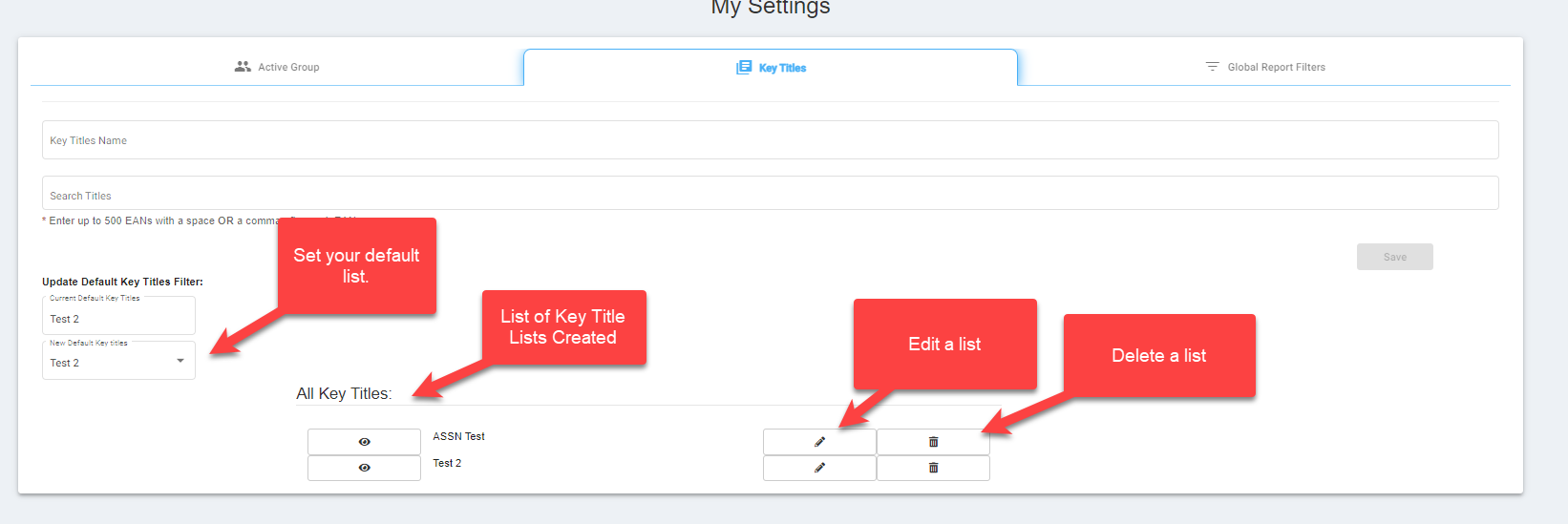
Click the Key Titles tab. To start a user will first set the name of the Key Title list they wish to create.
The user then enters a title/EAN or a list of EANs, the search results box populates with the matching results. Select the titles/EANs you want to add to your list.
Users can enter up to 500 EANs with a space OR a comma after each EAN. If a user wishes to add all EAN/title results to their key title list, click on the Select All button in the drop down.
The drop down will note the number of matching records found.

Once a user has completed their selections for their list, they would click save. The created list and any previously created lists will be available in the All Key Titles List at the bottom of the Key Titles page. Users can save and create multiple key title lists.
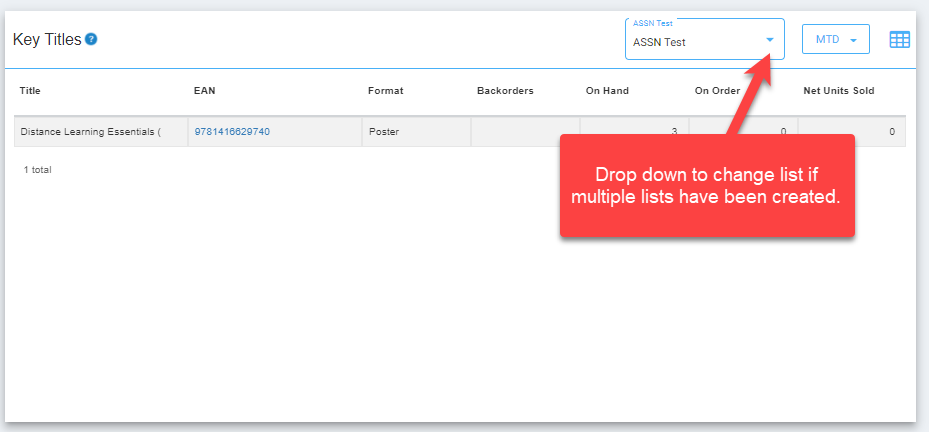
Since there can be multiple Key Title lists, a user would need to set the default list that will show up on the home page of IQ. A user would just click on a created list from the provided drop down. This can be changed at any time by going back into the Key Title setting.
A user can also delete a list by clicking on the trashcan icon or edit a list by clicking on the pencil icon.
Once a list has been set as the default list, this list will show up as the main list on the key titles widget on the home page of IQ.
Global Report Headings
This tab covers report settings for three distinct instances of iQ. Please view the Wholesale section and select the desired options for GAP (Guaranteed Availability Program), PTO (Print to Order), and Medium (all, physical, or digital). iQ reports use these predefined settings but may be overridden via filter options in the report.
This tab also allows a user to set their Calendar option to either Fiscal or Calendar year and set the Default time filter on all the widgets in IQ.
Click here for GAP details.
